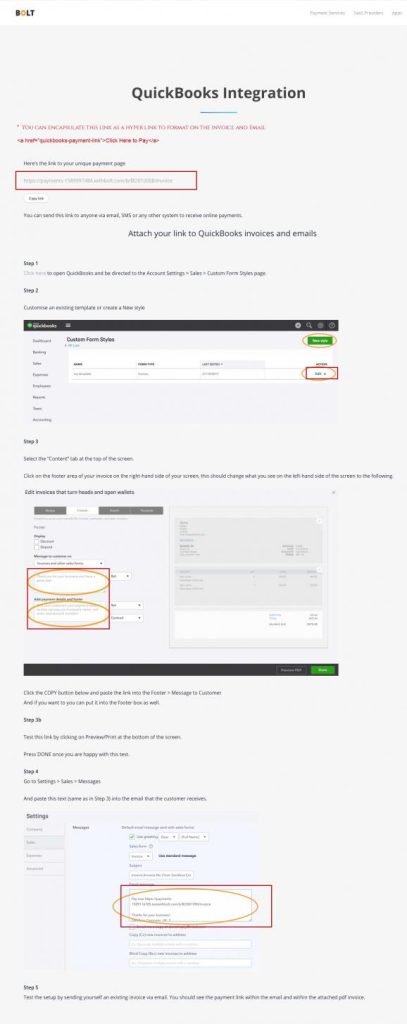
Integration Quick Links
PayPal Payflow Pro
Log into your Quickbooks Online dashboard
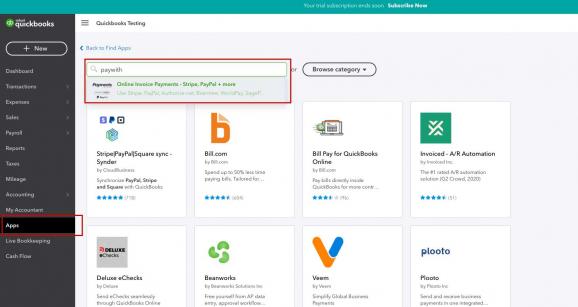
- Click on Apps
- Search for paywith.. or paywithbolt
- Select Online Invoice Payments – Stripe, PayPal + more
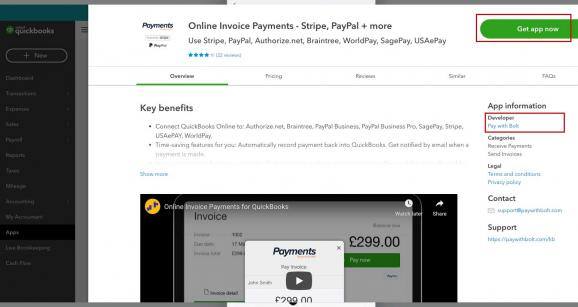
Install App
- Click Get app now button
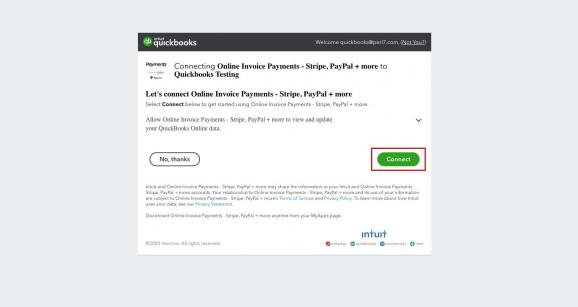
Connect your Gateway
- Click Connect button
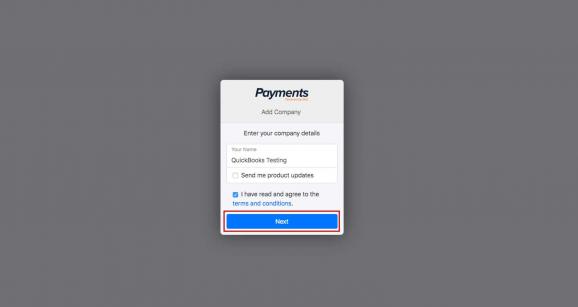
Enter of select your Business Name
- Enter or select your business name
- Click Next button
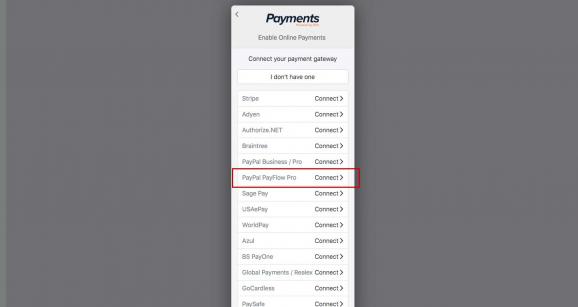
Select Payflow Pro gateway
- Select Payflow Pro gateway
- Click Next
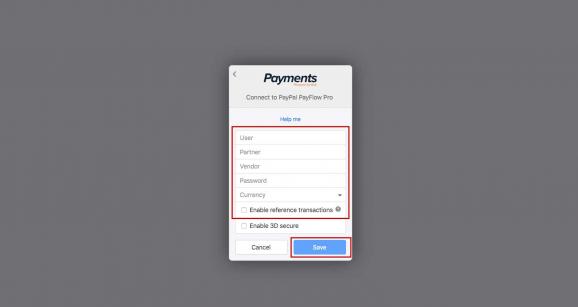
Enter Payflow Pro credentials
- Enter Payflow Pro credentials
- Select Currency type
- Select Enable Reference Transaction (if needed)
- Select Enable 3D Secure (if needed)
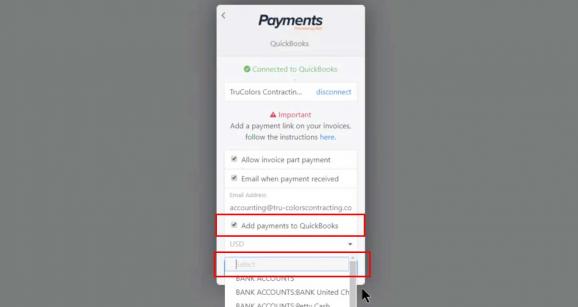
Connect to Quickbooks
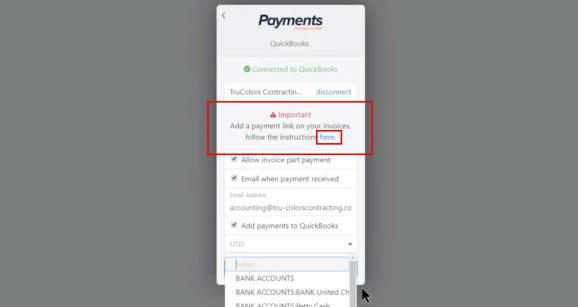
- Check box to Add payments to Quickbooks
- Add your Bank Account
- Click Save or Next
Go to Shuttle to add payment link to your invoices
- Click on the Here link to redirect to the Shuttle app. This next interface will generate a payment link and allow you to add it to your Quickbook Invoice template.
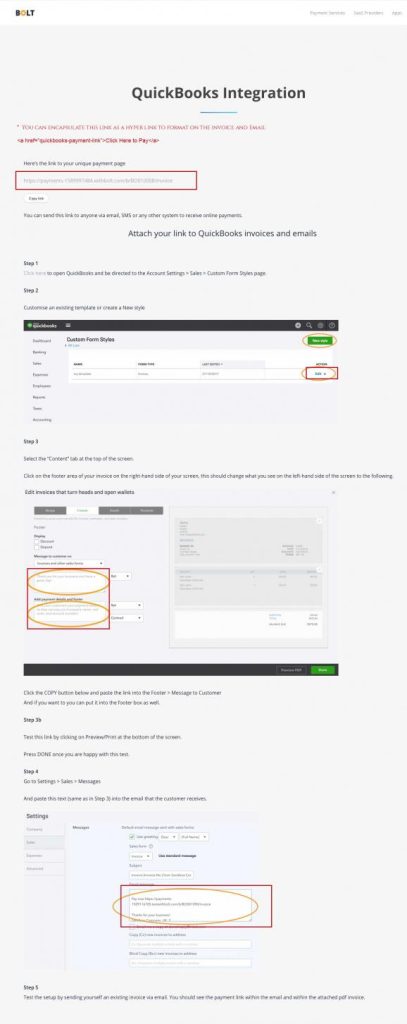
Add Payflow Pro payment option link to invoices
- Copy Quickbooks Payflow Pro hyperlink
- You can format the link with HTML code to make presentabled in Invoice and Email.
Braintree Payments
Log into your Quickbooks Online dashboard
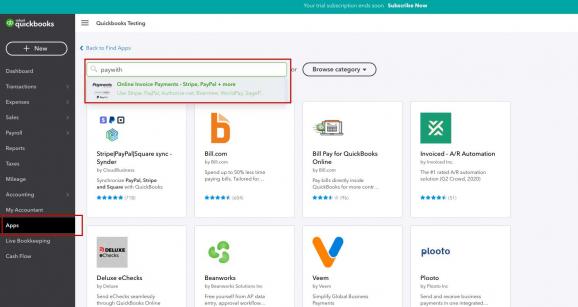
- Click on <Apps>
- Search for paywith.. or paywithbolt
- Select Online Invoice Payments – Stripe, PayPal + more
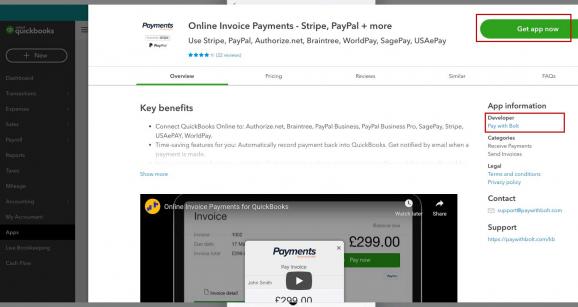
Install App
- Click <Get app now> button
Connect your Gateway
- Click <Connect> button
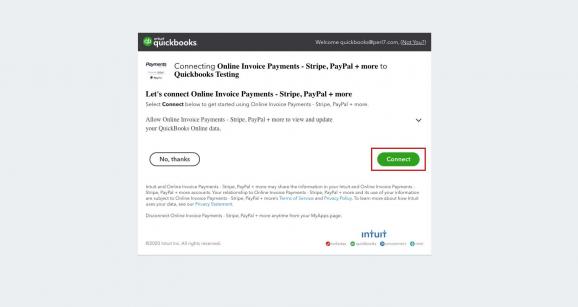
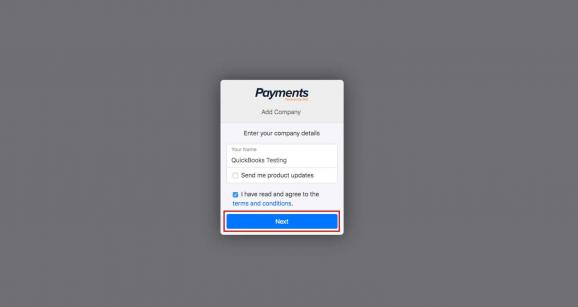
Enter of select your Business Name
- Enter or select your business name
- Click <Next> button
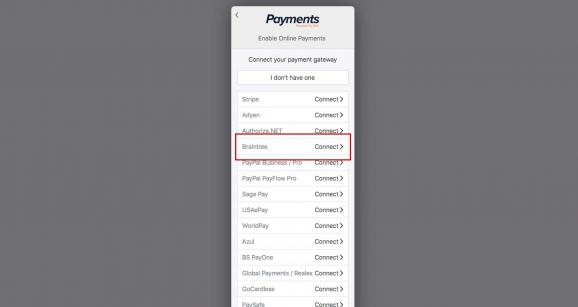
Select Braintree gateway
- Select <Braintree> gateway
- Click <Next>
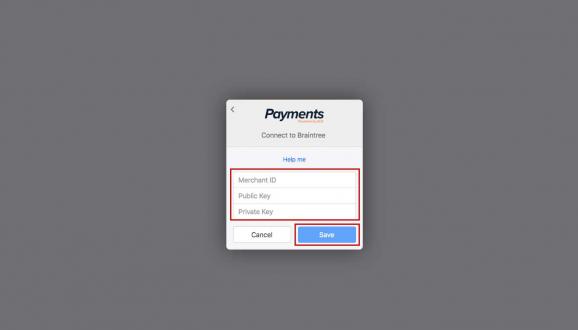
Enter Payflow Pro credentials
- Enter <Braintree> credentials
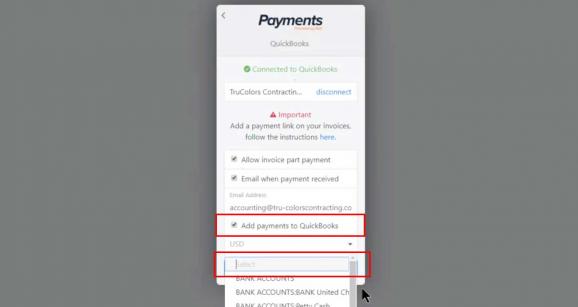
Connect to Quickbooks
- Check box to <Add payments to Quickbooks>
- Add your Bank Account
- Click <Save> or <Next>
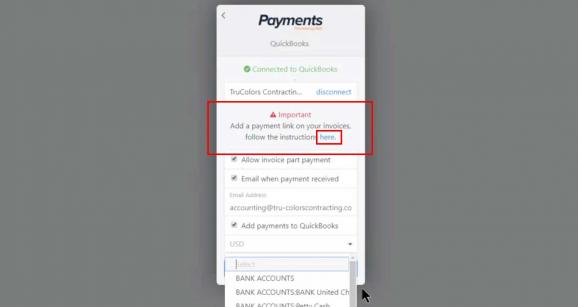
Go to Shuttle to add payment link to your invoices
- Click on the Here link to redirect to the Shuttle app. This next interface will generate a payment link and allow you to add it to your Quickbook Invoice template.
Add Payflow Pro payment option link to invoices
- Copy Quickbooks Payflow Pro hyperlink
- You can format the link with HTML code to make presentabled in Invoice and Email.